






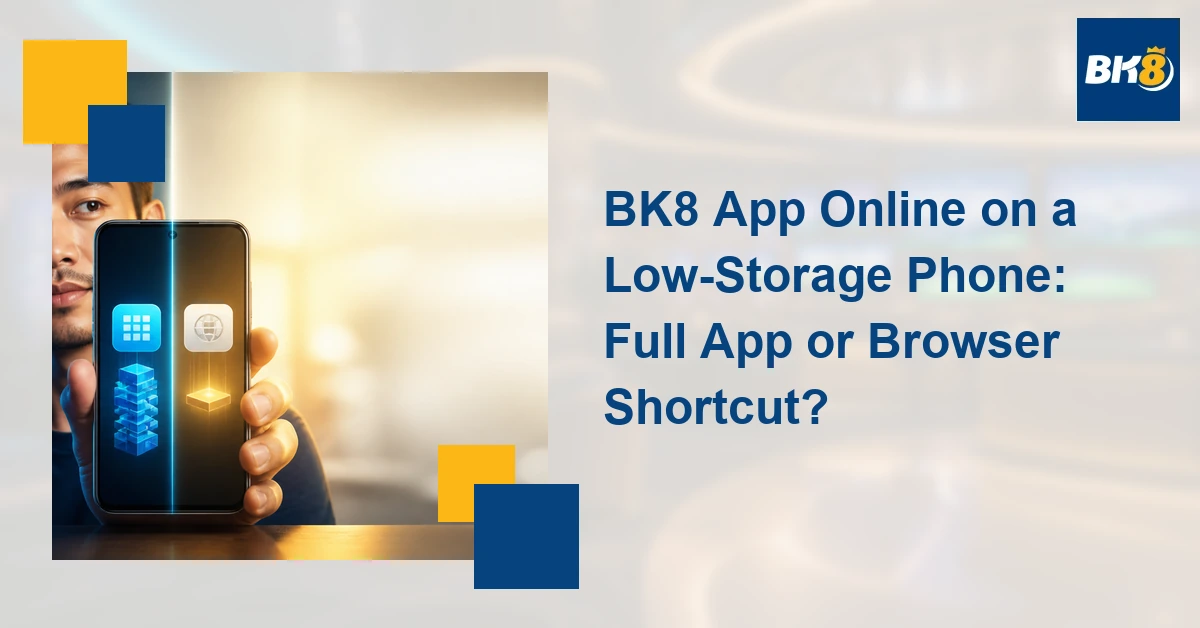
On a phone with little free storage, accessing the BK8 app online can mean comparing a full installed app with the mobile website or a browser shortcut. A shortcut is only a home-screen link unless the browser clearly installs a web app. It does not automatically contain the same code, storage use, notifications, or offline behavior as a native APK.
Full App vs Browser Shortcut
| Factor | Full app | Browser shortcut |
|---|---|---|
| Storage | Installation plus cached data | Browser cache and site data |
| Updates | May require separate app updates | Uses browser and website updates |
| Notifications | May support app-specific alerts | Often more limited or browser-controlled |
| Permissions | App-specific requests | Browser and site permissions |
| Removal | Uninstall app; review remaining files | Delete shortcut and clear site data if desired |
| Saved login | Stored by app or device | Stored in browser or password manager |
Use a Storage-First Decision Tree
- Very limited storage: test verified mobile-browser access first.
- Frequent use with enough space: compare the full app’s current features and storage footprint.
- Shared phone: avoid saved sessions and lock-screen notifications that expose account activity.
- Older Android version: confirm compatibility before downloading an APK.
- Unwanted alerts: compare app notification categories with browser-site controls.
A browser may open the site on an older device that cannot install the current app, but this does not guarantee identical games, payment features, or performance. Conversely, a full app may feel more direct but adds installation files, cached data, permissions, and update requirements. Check the live platform rather than assuming either route is complete.
Data, Cache, and Updates
Both options can use mobile data, particularly for live video and graphics. Clearing app storage can sign you out and remove local settings; clearing browser data can remove saved sessions for many sites. Browser updates also matter for security and compatibility. Before clearing anything, make sure you know your username and have access to the verified recovery method—never store an OTP.
Security on Shared or Older Phones
A home-screen icon can look like an app even when it is only a link. Press and hold it or inspect the browser destination before entering credentials. On a shared phone, disable previews for sensitive notifications, do not save passwords in another person’s profile, and sign out when finished. If the operating system no longer receives security updates, consider a supported device.
Confirm BK8 Feature Parity
Before publication, verify whether the current BK8 mobile browser and app expose the same account, cashier, sportsbook, casino, and support functions. This draft does not claim exact file size or compatibility because those details require a current test.
Gambling should remain entertainment, not income. Only eligible adults should play. PAGCOR states that gambling is for people aged 21 and above and can be addictive. Set a fixed time and money limit, do not borrow to gamble, and never chase losses.
Frequently Asked Questions
Is a browser shortcut the same as a full app?
Usually not. A shortcut may only open a saved web address and use browser storage and permissions.
Which option uses less storage?
A browser shortcut often avoids a separate installation, but the browser still stores cache and site data. Compare actual storage use on your device.
Can both options have the same BK8 features?
Possibly, but do not assume parity. Check the current app and mobile site before choosing.
Example: Choosing on a Shared Low-Storage Phone
A shared Android phone has little free space and an older system version. Start by confirming that the browser and operating system still receive updates, then test the verified mobile site without saving the password. Add a shortcut only after checking its destination. Disable notification previews and sign out after use. If the full app is later considered, compare its current storage requirement, permissions, compatibility, and feature set. Convenience should not override account privacy on a device another household member can unlock.

Martine Cena is a highly experienced iGaming writer specializing in online casinos. Her expertise includes crafting engaging and informative content which includes comprehensive casino reviews, strategic guides for various table games and live dealer experiences, and insightful articles on bonus structures and promotions.
Martine possesses a deep understanding of the online casino gaming scene, including regulatory requirements, game providers, and player preferences. She excels at translating complex information into accessible and captivating narratives, ensuring readers are both educated and entertained.